

You have a website. People visit it. But the phone does not ring. The quote form sits empty. The contact page gathers digital dust.
This is one of the most common frustrations we hear from service business owners. And in most cases, the problem is not traffic. It is conversion.
Your website is getting visitors, but its lead generation is failing to turn them into enquiries.
The difference between a website that generates leads and one that does not usually comes down to a handful of fixable issues. Here are the nine most common ones, and exactly how to fix each.

1. Your Phone Number Is Hard to Find
This sounds almost too basic, but it is the number one issue we see. A potential customer lands on your site, decides they want to call, and then cannot find your number without hunting.
The fix: Your phone number should be visible in the header on every page, clickable on mobile (tap to call), and repeated in the footer. On mobile, consider a sticky call button that stays visible as the user scrolls. Do not make people work to contact you. Every extra second of searching is a reason to go back to Google and call your competitor instead.
2. No Clear Call to Action Above the Fold
“Above the fold” means the part of the page visible without scrolling. When someone lands on your homepage, they should immediately see what you do, where you do it, and what to do next.
Too many trade websites open with a vague hero image and a clever tagline like “Quality You Can Trust.” That tells the visitor nothing. They do not know if you serve their area. They do not know what to click.
The fix: Your hero section needs three things: a clear headline stating your service and area (“Emergency Plumber in Brisbane’s Northside”), a subheading with your key differentiator (“Same-day service, upfront pricing”), and a prominent button (“Get a Free Quote” or “Call Now”). No cleverness. Just clarity.
3. Your Quote Form Asks for Too Much
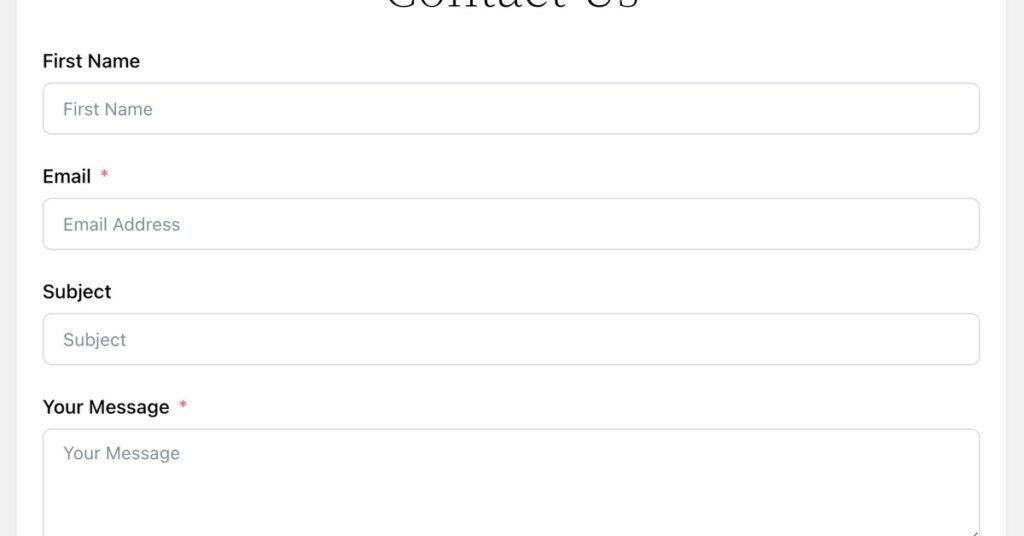
Every field on your quote form is a barrier. Name, email, phone, address, suburb, service type, preferred date, message, how did you hear about us, preferred contact method. By field seven, most visitors have given up.
The fix: Ask for the minimum you need to start a conversation: name, phone number, and a brief description of what they need. That is it. You can gather the rest when you call them back. Shorter forms convert dramatically better. If you are worried about lead quality, add one qualifying question (like suburb, to confirm service area), but stop there.
4. Slow Loading Speed
If your website takes more than three seconds to load on a phone, you are losing a massive percentage of visitors before they see anything. They tap your link, stare at a blank screen, and hit back.
The fix: Test your site on Google PageSpeed Insights. The most common culprits are oversized images, too many plugins, cheap shared hosting, and autoplay videos. Compress your images (WebP format helps enormously), remove plugins you do not use, and consider better hosting. Speed is not just a nice-to-have. It directly affects how many enquiries you get.
5. No Trust Signals
Imagine you are a homeowner choosing between two plumbers. One website shows real photos of completed work, has 47 Google reviews displayed, lists industry certifications, and shows the team. The other has stock photos, no reviews visible, and a generic “About Us” paragraph. Which one do you call?
The fix: Add trust signals throughout your site:
- Google reviews (embedded widget showing real reviews with names)
- Before-and-after photos of actual jobs
- Industry licenses and certifications with numbers
- Years in business
- Number of jobs completed or customers served
- Any awards or memberships
Trust is the currency of service businesses. If your website does not build it within seconds, visitors leave.
6. Generic, Forgettable Content
“We are a family-owned business committed to quality workmanship and customer satisfaction.” Every trade website says this. It means nothing because everyone claims it.
The fix: Be specific. Instead of “quality workmanship,” say “Every roof restoration includes a 10-year workmanship warranty.” Instead of “customer satisfaction,” show a testimonial: “They arrived on time, cleaned up perfectly, and the roof looks brand new. Could not recommend more highly. – Sarah M., Paddington.”
Specificity builds trust. Vagueness destroys it. Go through every page and replace generic claims with concrete facts, numbers, and real customer words.
7. Not Mobile-Optimized
Over 60% of local service searches happen on mobile phones. If your website was designed for desktop and merely shrunk down for phones, you are delivering a poor experience to most of your visitors.
Common mobile problems: text too small to read, buttons too small to tap, forms that require pinching and zooming, phone numbers that are not clickable, and navigation menus that are confusing on small screens.
The fix: Open your website on your own phone right now. Try to request a quote. If it is frustrating for you, imagine how it feels for a stranger. Your site needs to be designed mobile-first, not desktop-shrunk. Big tap targets, readable text, simple navigation, click-to-call everywhere.
8. No Follow-Up System
Here is a painful truth: most website visitors who do not enquire on their first visit never come back. They found you, browsed, left, and forgot. Without a follow-up mechanism, those potential leads are gone forever.
The fix: Add at least one way to stay in touch with visitors who are not ready to enquire yet:
- An email signup offering something useful (a maintenance checklist, a cost guide)
- Retargeting pixels (so you can show ads to past visitors on Facebook and Google)
- A chatbot or live chat for instant questions
The businesses that follow up consistently win a disproportionate share of jobs, because most competitors do not bother.
9. You Are Attracting the Wrong Traffic
Sometimes the problem is not your website at all. It is who is visiting. If your SEO targets broad informational keywords (“how to fix a leaking tap”) instead of commercial ones (“emergency plumber Brisbane”), you will get visitors who want DIY advice, not visitors who want to hire you.
The fix: Audit your top traffic sources. Are visitors coming from keywords that indicate buying intent? If your blog drives 80% of traffic but generates zero enquiries, your content strategy needs to shift toward bottom-of-funnel topics. Our SEO services focus specifically on attracting visitors who are ready to hire, not just browse.
How to Prioritize
You do not need to fix all nine at once. Start with the highest-impact, lowest-effort items:
This week: Make your phone number prominent and clickable. Simplify your quote form to three fields. Check your mobile experience personally.
This month: Add trust signals (reviews widget, real photos). Rewrite generic content with specifics. Test and improve page speed.
This quarter: Implement a follow-up system. Audit your traffic sources and adjust your SEO targeting.
The Bottom Line
A website that does not generate leads is not a marketing asset. It is an expense. But in almost every case we have seen, the fix is not a complete rebuild. It is addressing a handful of specific conversion blockers.
Start with the basics. Make it easy to contact you. Build trust fast. Remove friction. The enquiries will follow.
About Khani Groups: We build websites that generate leads, not just look pretty. From conversion-focused web development to SEO that attracts ready-to-buy customers, we help service businesses turn their online presence into a lead machine. Contact us for a free website conversion audit.