

Here is something that might surprise you: the most valuable free marketing tool for your trade business is not social media, not a directory listing, and not word of mouth. It is your Google Business Profile.
Yet most tradies either have not claimed theirs, claimed it years ago and never touched it again, or filled in the basics and assumed that was enough. Meanwhile, the competitors dominating the Google Maps results in your area are treating their profiles like the lead-generating machines they are.
This guide walks through everything you need to do to turn your Google Business Profile from an afterthought into your hardest-working employee. It is free, it takes a few hours to set up properly, and the ongoing maintenance is minutes per week.
What Is Google Business Profile?
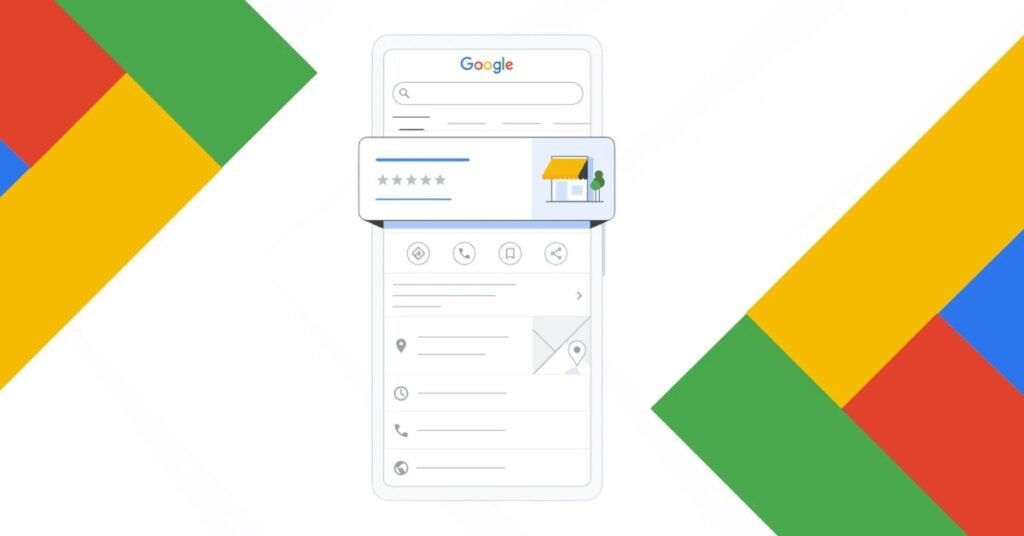
Google Business Profile (formerly Google My Business) is the free listing that controls how your business appears on Google Search and Google Maps. When someone searches for your business name, or for your service in your area, your profile is what generates the knowledge panel on the right side and your position in the map pack.
It includes your business name, address, phone number, hours, photos, reviews, services, and much more. Think of it as your Google homepage. For many customers, it is the first and only thing they see before deciding to call.
Why It Matters More Than Ever in 2026
Three trends make your Business Profile more critical now than ever before.
First, AI Overviews are changing organic search. As Google shows more AI-generated answers, traditional website clicks for informational queries are dropping. But the map pack, powered by Business Profiles, remains prominent for local service searches. Your profile is somewhat insulated from the AI shift.
Second, Google keeps adding features to profiles. Posts, Q&A, messaging, booking buttons, product listings. Each feature is another way to engage potential customers without them ever visiting your website. Businesses that use these features stand out.
Third, consumer behaviour keeps shifting toward “zero-click” decisions. People read reviews, check photos, verify hours, and tap the call button, all without leaving Google. If your profile is thin, you lose to competitors whose profiles are rich, even if your actual work is better.
Setting Up: The Complete Checklist

If you have not claimed your profile yet, go to google.com/business and start. If you have claimed it, work through this checklist to make sure every section is optimized.
Business Information
Name: Your real, legal business name. Do not add keywords, locations, or marketing language. “Smith Plumbing” is correct. “Smith Plumbing – Best Emergency Plumber Sydney Cheap” will get you suspended.
Primary category: This is the most important field for ranking. Choose the single most specific category that describes your main service. “Roofing contractor” beats “Contractor.” “Electrician” beats “Home services.” You can add secondary categories for additional services, but the primary one carries the most weight.
Additional categories: Add every relevant secondary category. If you are a plumber who also does gas fitting, add both. Each one helps you appear for more searches.
Address: Your real business address. If you are a service-area business (you go to customers, they do not come to you), you can hide your address and set service areas instead. Be honest about this. Misrepresenting a virtual office as a physical location violates Google’s guidelines.
Service areas: List every suburb, town, or region you serve. Be thorough but honest. Do not claim areas you will not travel to.
Phone: Your main business number. Make sure it matches the number on your website exactly.
Website: Link to your homepage, or better yet, to a relevant landing page. Some businesses link to a specific service page for better conversion tracking.
Hours: Set your regular hours accurately. Add special hours for public holidays well in advance. If you offer 24/7 emergency service, reflect that. Inaccurate hours are one of the top customer complaints.
Services and Products
This section is massively underused. List every service you offer as a separate entry with a description and price range if applicable.
Do not just write “Plumbing.” Write:
- Blocked drain clearing: “High-pressure jet blasting to clear stubborn blockages. Upfront pricing from $X.”
- Hot water system installation: “Same-day replacement of electric, gas, and solar hot water systems.”
- Emergency plumbing: “24/7 emergency callouts across [your area].”
Each service entry is indexed by Google and helps you match more specific searches. This is free keyword targeting. Use it.
Photos and Videos
Businesses with photos get more calls, more direction requests, and more website clicks. This is not debatable. Yet most tradie profiles have three blurry photos from 2019.
Upload at minimum:
- Logo: Your business logo, clear and professional.
- Team photos: Real photos of you and your team. People hire people, not logos.
- Work photos: Before, during, and after shots of actual jobs. These are your most persuasive images.
- Vehicle photos: Your branded vans or utes. They build recognition.
- Video: A short 30-second intro video dramatically increases engagement. It does not need to be professional. A genuine smartphone video of you explaining what you do outperforms a slick corporate ad.
Aim for 30+ photos total. Add new ones monthly. Fresh photos signal an active business.
Business Description
You get 750 characters. Use them well. Describe what you do, who you serve, and what makes you different. Include your main service areas naturally. Do not keyword-stuff.
Good: “Smith Plumbing has served Brisbane’s northside for 15 years. We specialize in emergency plumbing, blocked drains, and hot water systems. Our licensed plumbers arrive on time, provide upfront pricing, and guarantee all workmanship.”
Bad: “Plumber Brisbane cheap plumber best plumber emergency plumber blocked drains hot water Brisbane northside plumber near me.”
Attributes and Highlights
Google offers various attributes: women-led, veteran-led, identifies as Black-owned, LGBTQ+ friendly, wheelchair accessible entrance, and many more. Select everything that truthfully applies. These help you appear when users filter by these attributes, and they build trust.
Reviews: Your Most Powerful Asset
If you do one thing from this guide, make it this: build a systematic review generation process.
Reviews influence your ranking directly. They also influence customer decisions more than almost anything else. A business with 120 reviews at 4.8 stars will beat a business with 12 reviews at 5.0 stars almost every time, because volume signals trustworthiness.
The system:
- After every completed job where the customer is happy, send a text message within 24 hours with your direct Google review link.
- Keep the message short and personal: “Hi [Name], thanks for choosing [Business]! If you were happy with the work, a quick Google review would mean a lot: [link]”
- Follow up once if they do not respond. Do not badger.
- Respond to every review within 48 hours. Thank positive reviewers by name. Address negative reviews calmly and professionally, offering to resolve the issue offline.
What not to do: Never offer incentives for reviews (discounts, gifts). Never write fake reviews. Never ask family to leave reviews. Google detects patterns, and the penalty is listing suspension.
Posts: The Feature Everyone Ignores

Google Business Profile lets you publish posts directly to your listing. These appear when people find you on Search and Maps. You can share updates, offers, completed jobs, events, and more.
Most competitors do not use this. That is your opportunity.
What to post:
- Recently completed jobs with before/after photos
- Seasonal reminders (“Winter is coming: is your heater ready?”)
- Special offers (limited-time, genuine)
- Helpful tips related to your trade
- Team news or community involvement
How often: At least twice a month. Weekly is better. Each post takes five minutes.
Why it matters: Active posting signals to Google that your business is alive and engaged. It also gives potential customers more content to evaluate you with. A profile with recent posts looks dramatically more trustworthy than one that has not been updated since 2021.
Q&A: Answer Before They Ask
Your profile has a Questions & Answers section where anyone can ask questions, and anyone can answer them. Including your competitors.
Proactive strategy: Post common questions yourself and answer them. “Do you offer emergency callouts?” “What areas do you serve?” “Do you provide free quotes?” This populates the section with accurate information before random strangers fill it with guesses.
Monitor it: Check monthly for new questions. Answer promptly and professionally. If someone posts misinformation, correct it politely.
Messaging and Booking
Enable messaging if you can respond quickly. Many customers, especially younger ones, prefer texting over calling. If you enable it, commit to responding within an hour during business hours. Slow responses are worse than no messaging at all.
If you use online booking software, integrate it. A “Book Now” button directly on your Google listing removes friction and captures leads who might not call.
Insights: Know What Is Working
Your Business Profile dashboard includes Insights data:
- How many people found you via Search vs Maps
- How many called, requested directions, or visited your website
- Which search terms triggered your listing
- Photo views compared to competitors
Review this monthly. If calls are flat, your profile needs more work. If direction requests are high but calls are low, your reviews or photos might need attention.
Common Mistakes to Avoid
Duplicate listings: If you find two profiles for your business, claim both and request a merge. Duplicates confuse Google and split your reviews.
Wrong primary category: This single field has outsized ranking impact. Get it right.
Ignoring suggested edits: Google lets users suggest changes to your listing. If you do not review and reject incorrect suggestions, they can go live automatically. Check your profile dashboard regularly.
Inconsistent NAP: Your name, address, and phone must match exactly across your website, your profile, and all directory listings.
Putting It All Together
An optimized Google Business Profile is not a one-time project. It is an ongoing asset that needs regular attention. But the time investment is small compared to the return.
This week: claim your profile (if needed), complete every field, upload 20 photos, and set up your review request system.
This month: start posting updates, populate the Q&A, and audit your NAP consistency.
Ongoing: respond to reviews, add photos monthly, post regularly, and check insights.
The tradies winning the most jobs in your area are almost certainly doing these things. Now you know exactly what to do to compete.
About Khani Groups: We help tradies dominate local search. From Google Business Profile optimization to complete local SEO campaigns, we know what moves the needle for service businesses. Contact us for a free GBP audit.